Windows 11
-

How to Shrink a Volume in Windows 10 and 11
On new laptops with preloaded Windows, you will mostly find one volume, occupying full Hard Disk space. So, you may…
Read More » -
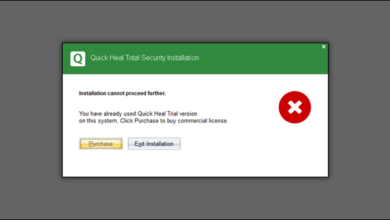
Quick Heal Trial Reset – Reinstall Quick Heal Trial 2025
It is not easy to install the Quick Heal trial version again as the setup detects the previous installation and…
Read More » -
How to Remove Bloatware and Speed Up Laptop PC
In today’s world, it is necessary to have a Laptop. It is very useful to a student as well as a…
Read More » -
How to Recover Deleted Files using Windows File Recovery
With Windows 10 version 2004, Microsoft released Windows File Recovery to recover the files deleted during Windows Update. However, you…
Read More » -
Fix the “USB Freezes Computer” issue in Windows
Computers hanging after plugging in the USB drive is a very common issue in Windows. Corrupt USB disks (maybe with…
Read More » -
How to Save Spotlight Wallpapers to Desktop in Windows 10 and 11
Windows Spotlight feature shows beautiful wallpapers on the Windows 10 and Windows 11 lock screen. You can easily enable this…
Read More » -
How to Convert or Save Documents as PDF in MS Office
PDF format has several benefits over normal MS Office document types. The PDF format provides portability and security. It also…
Read More » -
How to Make Bootable USB Using CMD
Installing Windows from CD or DVD has become old fashion. And most of the new motherboards support booting from USB…
Read More » -
How to Install Official WhatsApp App on Windows PC
You can easily use WhatsApp on PC using WhatsApp Web, or BlueStacks Android emulator. But in WhatsApp web, you will…
Read More » -
How to Hide All Drives in Windows PC
There may be several reasons you might want to hide all drives in your Windows PC be it network or…
Read More »